
Wi-Fi Toolbox by SiggySoft
A Wi-Fi, Bluetooth and network field kit for IT and security staff. Free, no ads, no account, no tracking. Made by SiggySoft LLC.
Version 0.6.5 (test version) is a test version for Android. Tell us what you find (see Support and feedback below). The iPhone version is in testing.
What it does
The toolbox reads what your phone's own operating system reports about nearby access points, the network you have joined, Bluetooth devices and cell towers; it runs read-only tests on the network you have joined; and it draws what it measured on a map or a floor plan. Every value on every screen explains itself when you tap it.
Scanner
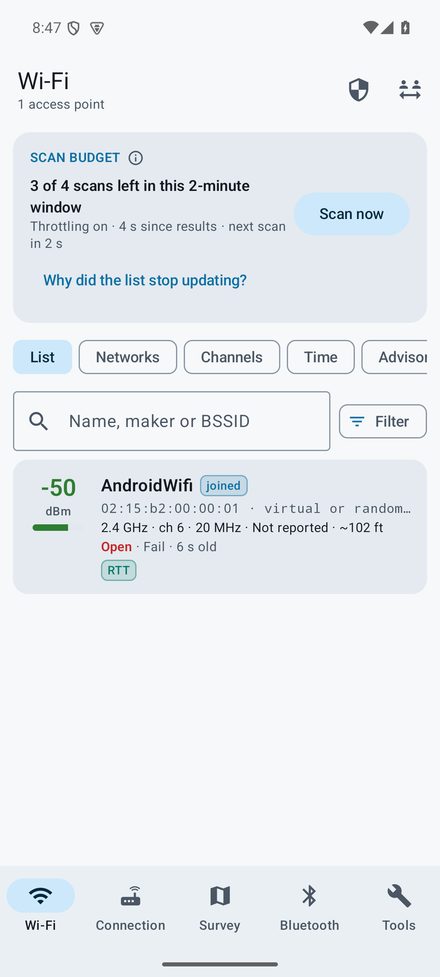
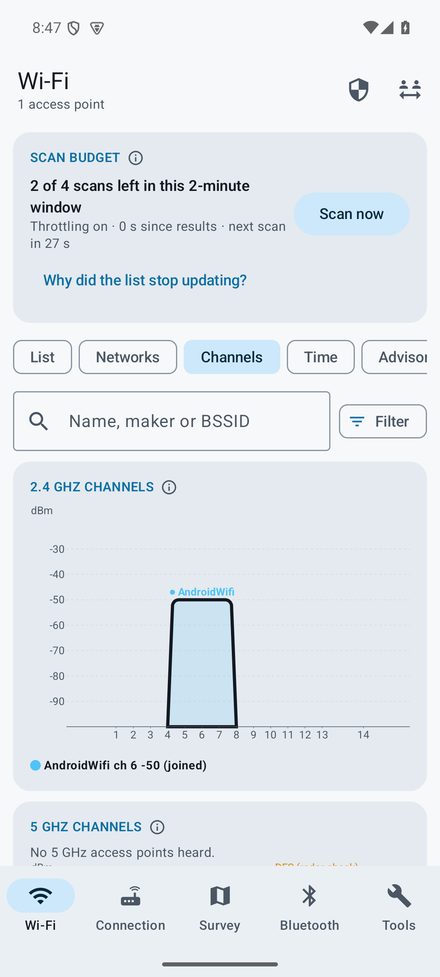
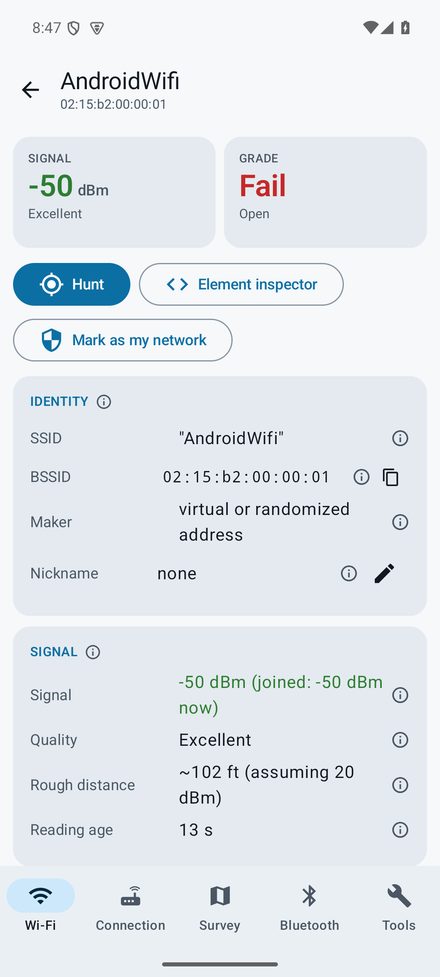
Every access point on 2.4, 5 and 6 GHz with BSSID, maker, signal, channel and width, Wi-Fi standard, security and the details in its beacon: stations and channel use, 802.11k, v and r, WPS, Passpoint, Wi-Fi 7 multi-link. Views by network, channel graph, signal over time, a channel advisor and an element inspector that decodes every beacon element field by field.
Security grades and My networks
Each access point is graded Fail, Warn or Good from what it broadcasts (open, WEP, TKIP, WPA2 without protected management frames, transition mode, WPS, WPA3, Enterprise), with the reason a tap away. Mark the networks you look after and the app flags an unknown access point using their name, weaker security, a different maker, and look-alike names.
Mesh and roaming test
Walk the building with the screen off: every hop between access points is logged with the signal before and after, the gap, and pings to the gateway and the Internet each second, so a roam that drops a call shows up. A sticky-phone alert shows where the phone held on to a weak access point while a stronger one was in range.
Survey and heat maps
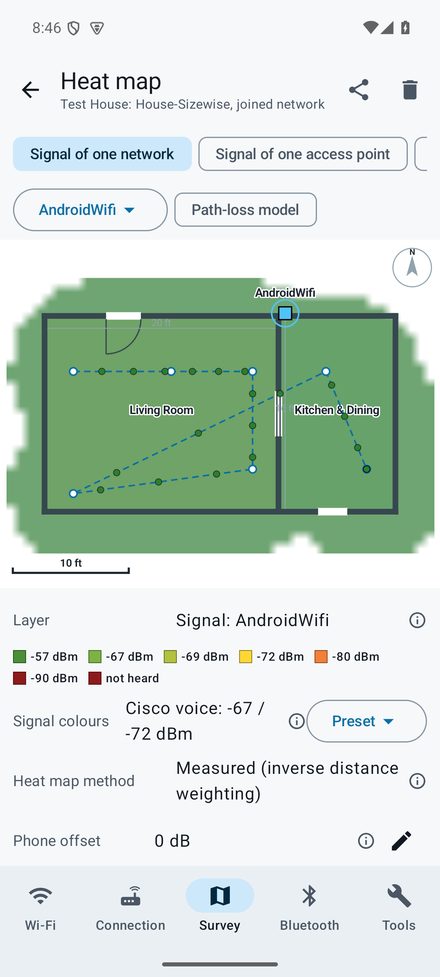
Walk a yard on a map, or a building on a floor plan imported from Sizewise or Sweet Home 3D or from a picture set to north and to scale. Place the access points, then see coverage per network, per access point and per mesh node, how many access points you can hear, co-channel overlap and ping latency. Surveys are saved by site and shared as images, a survey package, CSV, GeoJSON, KML, WiGLE CSV, or back to Sweet Home 3D.
Bluetooth logger, finder and tracker check
Every Bluetooth device nearby with its maker, signal and decoded beacon; a log of when and where each was heard; a finder whose tone rises as you get closer (for earbuds lost in the car); and a check for item trackers that keep turning up where you go, with the evidence shown.
Captive portal test and network checks
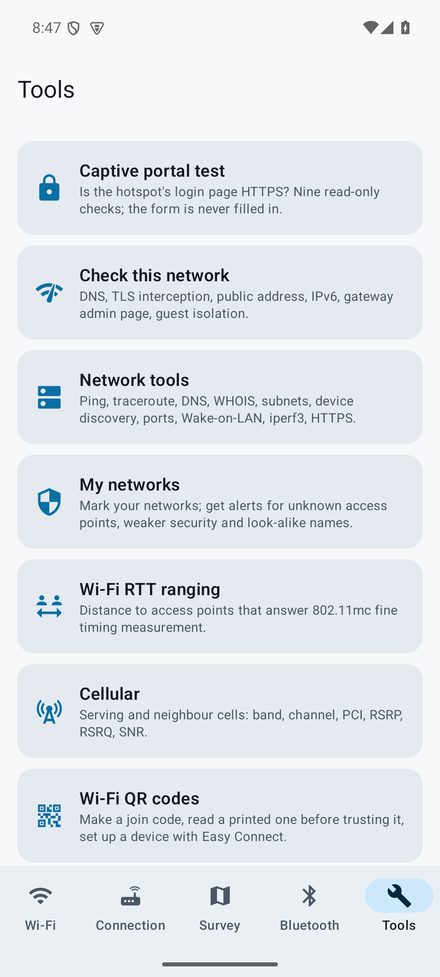
One button tells you whether a hotspot's login page is on HTTPS, where its password form sends your details, and whether the portal tampers with HTTPS, in nine read-only checks; the form is never filled in. After login, Check this network looks at DNS, TLS interception, the public address and operator, IPv6, the gateway's admin page and guest isolation.
Network tools, cellular and more
Ping, traceroute, DNS lookups including DNS-over-HTTPS and DNS-over-TLS, WHOIS and RDAP, a subnet calculator, device discovery and port checks on your own network, Wake-on-LAN, an iperf3 client, an HTTPS certificate inspector, cell tower details, Wi-Fi RTT ranging, Wi-Fi QR codes, a site report in PDF, a home-screen widget and a quick-settings tile.
Get the app
- Android 11 or newer: download below
- Google Play: coming
- iPhone: in development
- No ads, no purchases, no account, no tracking
What a phone can and cannot measure
- Android limits Wi-Fi scans to 4 every 2 minutes per app while "Wi-Fi scan throttling" is on, which it is by default. The app shows how many scans are left. On a phone used for surveys, turn throttling off: Settings, System, Developer options, Wi-Fi scan throttling.
- Android reports no noise level, so there is no signal-to-noise reading on Android.
- No phone sees non-Wi-Fi interference such as a microwave oven or a baby monitor; that needs a spectrum analyzer.
- Phones read signal differently by a few dB between models. Settings has a correction for your phone, applied when drawing maps.
- Scanning, roaming, Bluetooth and cell readings need a real phone; the Android emulator only simulates one access point.
Installing the Android download
Until the app is on Google Play, Android asks you to allow the install once.
- Open this page on the phone in Chrome and tap Download for Android.
- When the download finishes, tap Open, or find SiggySoft-WiFi-Toolbox-0.6.5.apk in the Files app under Downloads.
- If Android says the phone is not allowed to install unknown apps from this source, tap Settings, turn on Allow from this source, then go back.
- Tap Install. If Google Play Protect says it does not recognize the app, tap More details, then Install anyway.
- Each tool asks for the permission it needs the first time you open it. Wi-Fi scanning needs precise location with the phone's Location switch on: Android treats nearby access points as location data. The app does not need GPS for scanning.
A newer version installs over the old one and keeps your surveys and logs; the first time you open it after an update, it lists what changed.
What the app will not do
No monitor mode, packet capture, packet injection or deauthentication. No password, handshake or credential tools. It never submits a captive portal's form or tries a router password, never joins a network without you choosing it, and runs device discovery, port checks and Wake-on-LAN only on the network your phone has joined.
Privacy
Everything the app measures stays on your phone unless you share it. It contacts other servers only when you start a test that needs them, and the privacy policy lists each one. No analytics, no advertising, no account.
Version history
What each version added, newest first. The app shows the same list (Tools > Version history).
Version 0.6.5 · 2026-11-04
- Captive portal test: a plain HTTP login page on an open or WEP network now gets its own CRITICAL warning, on screen and in the shared report, saying that neither the page nor the Wi-Fi protects what you type.
- The redirect chain now says the probe is Android's own check, not a login page, and check 8 speaks of a login page only when there is one.
Version 0.6.4 · 2026-11-04
- Captive portal test: a new line says whether the login page uses HTTPS or plain HTTP, and a red CRITICAL warning shows when the page is not secure. With no login page during the test, it says so and how to test before signing in.
- Open networks: the Connection tab, the captive portal test and Check this network warn that others can possibly see your traffic. WEP networks get the same warning.
- Share on the captive portal test: choose a formatted email with the PDF attached, a short text message, or the PDF by itself.
Version 0.6.3 · 2026-10-29
- Satellite view on the outdoor survey map and the roaming test's map: Google's satellite pictures with street and place names, as on the iPhone. Street and Satellite on the map switch between it and the OpenStreetMap street map, and the app remembers your choice.
- If the satellite view does not load within 20 seconds (no connection, for example), the street map takes its place and a line on the map says so. Saved pictures of a survey keep the street map.
Version 0.6.2 · 2026-10-28
- The app is now called Wi-Fi Toolbox by SiggySoft in the app stores and in your phone's app settings. The name under the icon stays Wi-Fi Toolbox, so it fits on the home screen.
Version 0.6.1 · 2026-10-28
- Survey share screen: Send to SiggySoft for checking sends the survey and its step-by-step log, after a screen that shows every word. Each new survey keeps that log beside it, at most 2 MB, deleted with the survey.
- Outdoor surveys now say plainly that readings are automatic: one a second for the joined network, one per Wi-Fi scan for all networks. There is nothing to tap while you walk.
- Roaming test: stores the phone's position each second while location is allowed, and a new Map view draws the walk on the map, coloured by access point, with each roam, the start and end, and how accurate the positions were. The samples CSV has latitude, longitude and accuracy columns.
- Addresses open or copy: tap an IP address, web address, host name or e-mail address to open it in the browser (http or https, chosen by the port), in an SSH, file sharing, Remote Desktop or VNC app, or in the mail app, or to copy it. A long press copies any value.
- Surveys made on an iPhone with ping only no longer show as not heard (-100 dBm) on the signal layers; their pings still show on the ping layer.
Version 0.6.0 · 2026-10-27
- First test version, for Android 11 and newer.
- Wi-Fi tab: every access point on 2.4, 5 and 6 GHz with maker, signal, channel, width, Wi-Fi standard and security; views by network, channel graph, signal over time, a channel advisor and a security summary; an element inspector that decodes each beacon element; your own names for access points.
- Security grades (Fail, Warn, Good) with the reason for each, and My networks: alerts for an unknown access point using your network's name, weaker security, a different maker or band, and look-alike names.
- Signal hunter: a large meter with a tone that rises as you get closer, for an access point or a Bluetooth device.
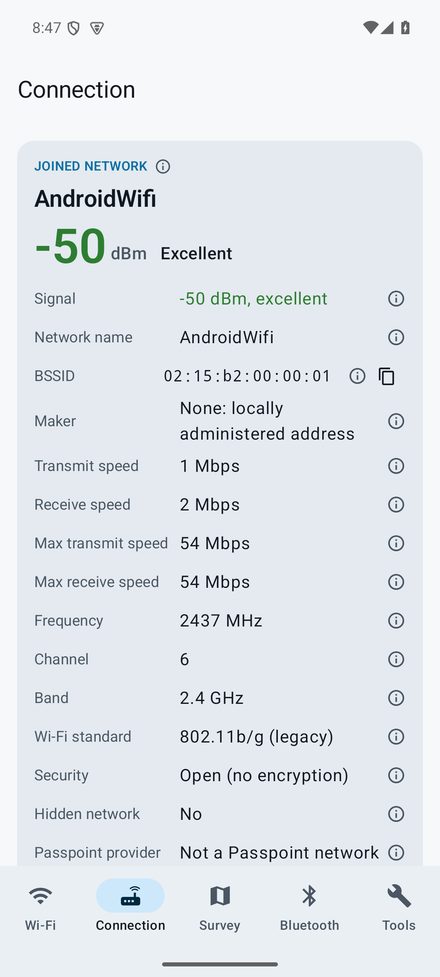
- Connection tab: everything Android reports about the joined network, a connection history, and a roaming test that logs every hop between access points with pings to the gateway and the Internet and a sticky-phone alert; it keeps running with the screen off.
- Survey tab: sites with floor plans imported from Sizewise or Sweet Home 3D, or from a picture or PDF set to scale and north; access points placed on the plan; walking surveys of the joined network or all networks; heat maps by network, access point, mesh node, access point count, co-channel overlap, ping and cell signal; outdoor surveys on an OpenStreetMap map.
- Survey exports: picture, survey package for another phone, CSV, GeoJSON, KML, WiGLE CSV, and a Sweet Home 3D copy with the heat map on the floor.
- Bluetooth tab: nearby devices with maker and decoded beacons, classic and paired devices, a logger with optional places, a finder for lost earbuds, and a check for item trackers that follow you.
- Tools: captive portal test (is the login page HTTPS, where does the password go), Check this network (DNS, TLS interception, public address and operator, IPv6, gateway admin page, guest isolation), ping, traceroute, DNS lookups including DNS-over-HTTPS and DNS-over-TLS, WHOIS and RDAP, subnet calculator, device discovery, port check, Wake-on-LAN, iperf3, HTTPS inspector, cell tower details, Wi-Fi RTT ranging and Wi-Fi QR codes.
- Site report: one PDF with the access points and their grades, channel advice, surveys with heat maps, the roaming test, portal test and network checks.
- A home-screen widget with the joined network, a quick-settings tile for the roaming test, and Send feedback with a screen that shows every word before it is sent.
Support and feedback
In the app, open Tools and tap Send feedback: the next screen shows every word before anything is sent. Or email contact@siggysoft.org with the app version (Tools, About), your phone model, the tool, and what happened.
More from SiggySoft
Phone apps For Android now; the iPhone versions are on the way.
 OutdoorsGPS ToolboxSpeedometer, compass, altimeter, coordinates, tracks and waypoints from your phone's GPS. Android iPhone soon
 Home projectsSizewiseMeasure with the camera, draw the floor plan, and work out what to order. Android iPhone soon
 GamePinball by MiddleSiggyClimb from a channel's first upload to a million subscribers, with daily and all-time leaderboards. Android iPhone soonNetworkingNetwork ToolboxPing, traceroute, port scanner, subnet calculator, DNS, WHOIS, TLS inspector, and 10 more network tools. Android iPhone soon
 GameSolitaireThirty solitaire games with fair, random deals. No ads and nothing to buy. Android iPhone soon
Windows and Mac programs Programs for Windows 10 and 11, and for Macs.
 VideoSiggySoft TeleprompterA teleprompter for any screen: mirrored for the glass, scripts from your documents, a phone remote. Windows Mac Android soon iPhone soon
 VideoSiggySoft Media SuiteVideo capture, DV camcorder capture, editing and side-by-side comparison in one window. Windows soon