
SiggySoft Teleprompter
A teleprompter for any screen, for Windows, Mac and Android, made by SiggySoft LLC. Free: no account, no ads. The Android version is a test version, and iPhone and iPad are coming soon.
What it does
SiggySoft Teleprompter shows your script on any display: a monitor behind teleprompter glass on an HDMI or DisplayPort cable of any length, a small prompter screen on a USB cable, a TV, or a strip under a webcam. It reads scripts from the documents you already have, tells spoken words from directions and notes, and scrolls at a set speed, in words a minute, or slide by slide. Every action has a key you can change, and a phone on the same network can be the remote.
Any screen, mirrored for the glass
Full screen on the monitor you choose, in a window, or as a strip across the top of a screen; mirrored left to right or top to bottom and turned in quarter turns for teleprompter glass. Several prompter screens at once, each showing the same place.
Scripts from your documents
Word (.docx), PDF, OpenDocument, PowerPoint, RTF, web pages, EPUB, Fountain screenplays, subtitles (SRT, VTT) and spreadsheets (CSV), or text pasted with its formatting. Directions in [brackets], notes, speakers, highlights and pauses are marked in plain text, and each kind can be shown, dimmed or hidden on the prompter.
Smooth scrolling you control
A set speed, a speed in words a minute, or one slide at a time; a countdown, a reading line, a camera mark, timers and a progress bar; jumps to sections and marks; fit the script to a set time. Font, size, colours, margins and spacing as you like them.
Keys, clickers and a phone remote
Every action on a key you choose, including the presentation clickers that act as a keyboard. A phone or tablet on the same network becomes a remote in its browser, with a code. On Windows, game controllers, MIDI pedals and keys that work in every program as well.
Get SiggySoft Teleprompter
- Windows 10 or 11, 64-bit
- Mac with macOS 15 or later, Apple silicon or Intel
- Signed by SiggySoft LLC; the Mac version is notarized by Apple
- Updates itself from this site
- iPhone and iPad: coming soon
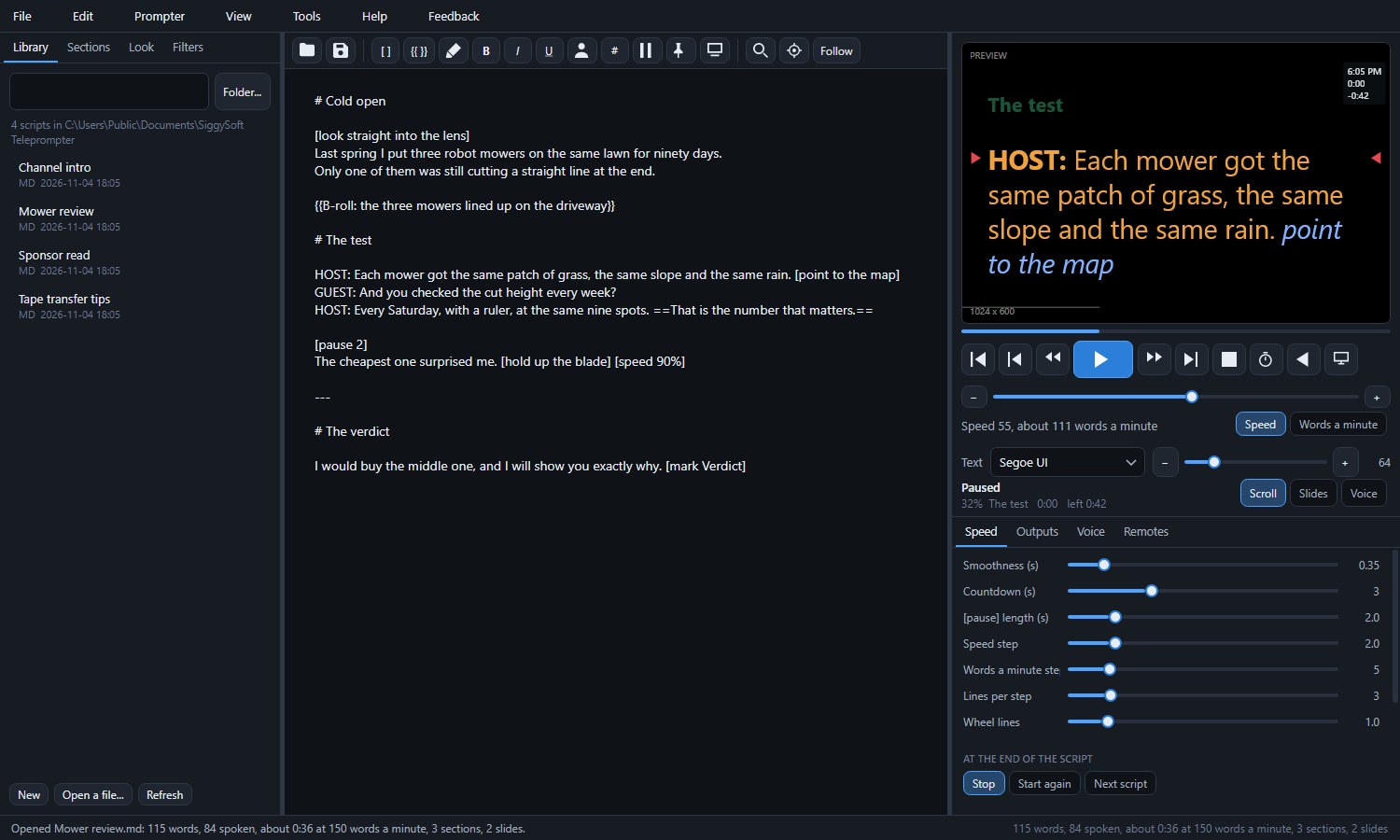
The program on Windows: the scripts, the script with its marks, and the preview of what the prompter shows.
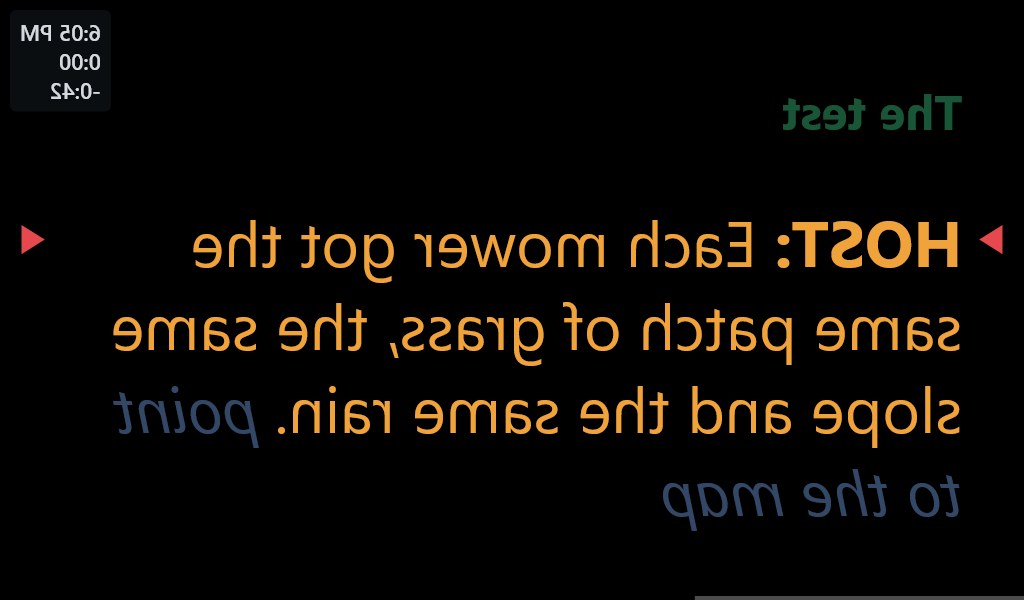
A prompter screen, mirrored for the glass.
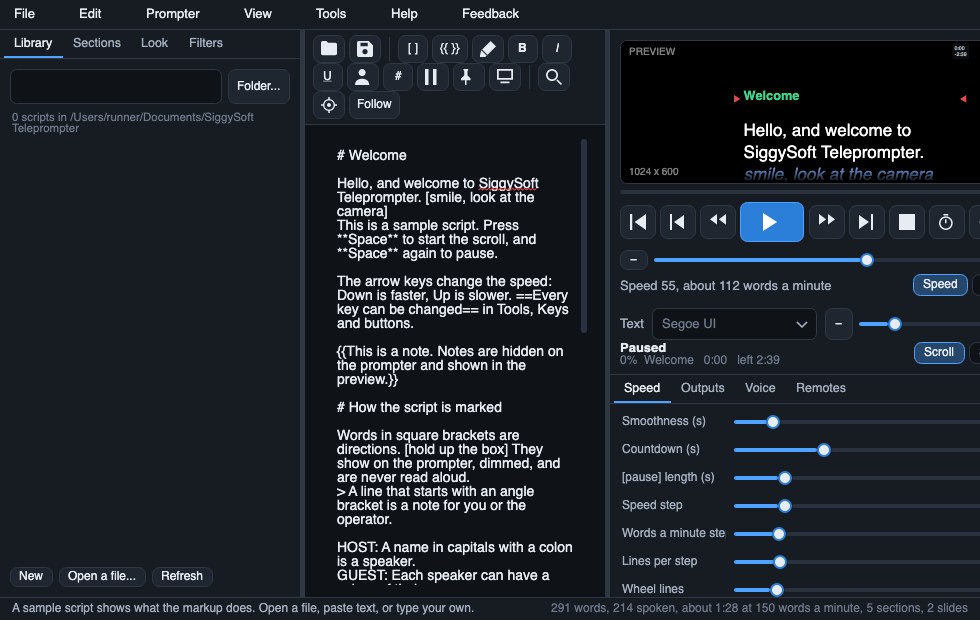
The same program on a Mac.
Teleprompter by SiggySoft for Android
The same prompter on Android phones and tablets: import a document or paste your text, set the pace in words a minute, and read from a plain or mirrored screen, with the phone beside your camera or behind teleprompter glass. A Bluetooth keyboard, page turner or foot pedal can run it. Free, with no account and no ads.
It can also be a prompter screen for the program on your computer. Tick Let phones and tablets connect on the program's Remotes tab, then tap Connect to a computer in the app and pick the computer from the list, or use Scan a code or Type an address. The computer sends the script and keeps it in step as it scrolls, and a tap on the text pauses it.
Version 0.3.0 is a test version. Tell us what you find (see Support and feedback below). The app's privacy policy says what it asks for and why. The iPhone and iPad version is in testing and is coming soon.
Installing on Android
Until the app is on Google Play, Android asks you to allow the install once.
- On the phone or tablet, tap Download for Android and open SiggySoft-Teleprompter-0.3.0.apk when it has downloaded.
- If Android says the phone is not allowed to install unknown apps from this source, tap Settings, turn on Allow from this source, then go back.
- Tap Install. If Google Play Protect says it does not recognize the app, tap More details, then Install anyway.
A newer version installs over the old one and keeps your scripts. The app is signed by SiggySoft LLC with the same key on this site and on Google Play.
Which Mac download?
Open the Apple menu and choose About This Mac. If the line called Chip names an Apple M chip (M1, M2 and later), take the Apple silicon download. If it says Processor with an Intel name, take the Intel one.
Installing on Windows
- Click Download for Windows and open SiggySoftTeleprompter-win-Setup.exe when it has downloaded.
- If Windows shows "Windows protected your PC", click More info and check that the publisher is SiggySoft LLC, then click Run anyway. A newly signed program shows this until it has been downloaded more often.
- Setup installs the program for your Windows account, with no administrator rights, and adds Microsoft's .NET 10 Runtime first if the PC does not have it. A shortcut goes on the desktop and in the Start menu.
Installing on a Mac
- Click the download for your kind of Mac and open the .pkg file from Downloads.
- macOS says the installer was downloaded from the internet and that Apple checked it. Click Continue and follow the installer; the program goes into Applications.
- Open SiggySoft Teleprompter from Applications or Launchpad. On a Mac, Cmd does what Ctrl does on Windows.
Updates: the program looks for a newer version on this site when it starts (a switch in its settings), downloads it in the background and puts it in when you close it.
Privacy
This paragraph is about the program for Windows and Mac; the Android app has its own privacy policy. Your scripts stay on your computer. SiggySoft Teleprompter has no account, no analytics and no advertising. It connects to the internet only to look for its own updates on www.siggysoft.org (it sends nothing about you, only asks for the list of versions), on Windows to read Microsoft's list of .NET releases once a day when that is switched on, and when you send a report from its Feedback menu, which shows exactly what will be sent before you press Send. The phone remote works only on your own network and needs its code. Phones and tablets as prompter screens are off until you switch them on; a device you allow gets the script over your own network, encrypted, and nothing goes through the internet.
Support and feedback
Use the program's Feedback menu (Report a problem, Suggest a feature, Ask a question), or email contact@siggysoft.org with the version (Help, About), Windows or Mac, what you did, and what you expected to see. For the Android app, email the same address with the version (Settings, About), your phone's model, what you did, and what you expected to see.
Versions
- 2.1.0 (2026-11-04): a phone or tablet can be a prompter screen for this computer, over your own network, with the script kept in step as you edit. This works with Teleprompter by SiggySoft 0.3.0 for Android. The program also lists what changed after each update.
- 2.0.1 (2026-11-03): the font and the text size beside the speed, so they can be changed while the script plays.
- 2.0.0 (2026-11-03): the first public version, for Windows and for Mac.
More from SiggySoft
Phone apps For Android now; the iPhone versions are on the way.
 OutdoorsGPS ToolboxSpeedometer, compass, altimeter, coordinates, tracks and waypoints from your phone's GPS. Android iPhone soon
 Home projectsSizewiseMeasure with the camera, draw the floor plan, and work out what to order. Android iPhone soon
 GamePinball by MiddleSiggyClimb from a channel's first upload to a million subscribers, with daily and all-time leaderboards. Android iPhone soonNetworkingNetwork ToolboxPing, traceroute, port scanner, subnet calculator, DNS, WHOIS, TLS inspector, and 10 more network tools. Android iPhone soon
 GameSolitaireThirty solitaire games with fair, random deals. No ads and nothing to buy. Android iPhone soon
 IT and securityWi-Fi ToolboxWi-Fi scanner with security grades, roaming test, heat maps, Bluetooth finder, portal and network checks. Android iPhone soon
Windows and Mac programs Programs for Windows 10 and 11, and for Macs.
 VideoSiggySoft Media SuiteVideo capture, DV camcorder capture, editing and side-by-side comparison in one window. Windows soon